A wall of albums. A perfect signal path.
PureAlbum brings the music on your NAS, your USB drives, TIDAL and Qobuz into one living library, and plays it bit-perfect through HQPlayer, Diretta, UPnP, or a USB DAC plugged straight into the box.
Free 14-day trial · One-time purchase · 14-day money-back
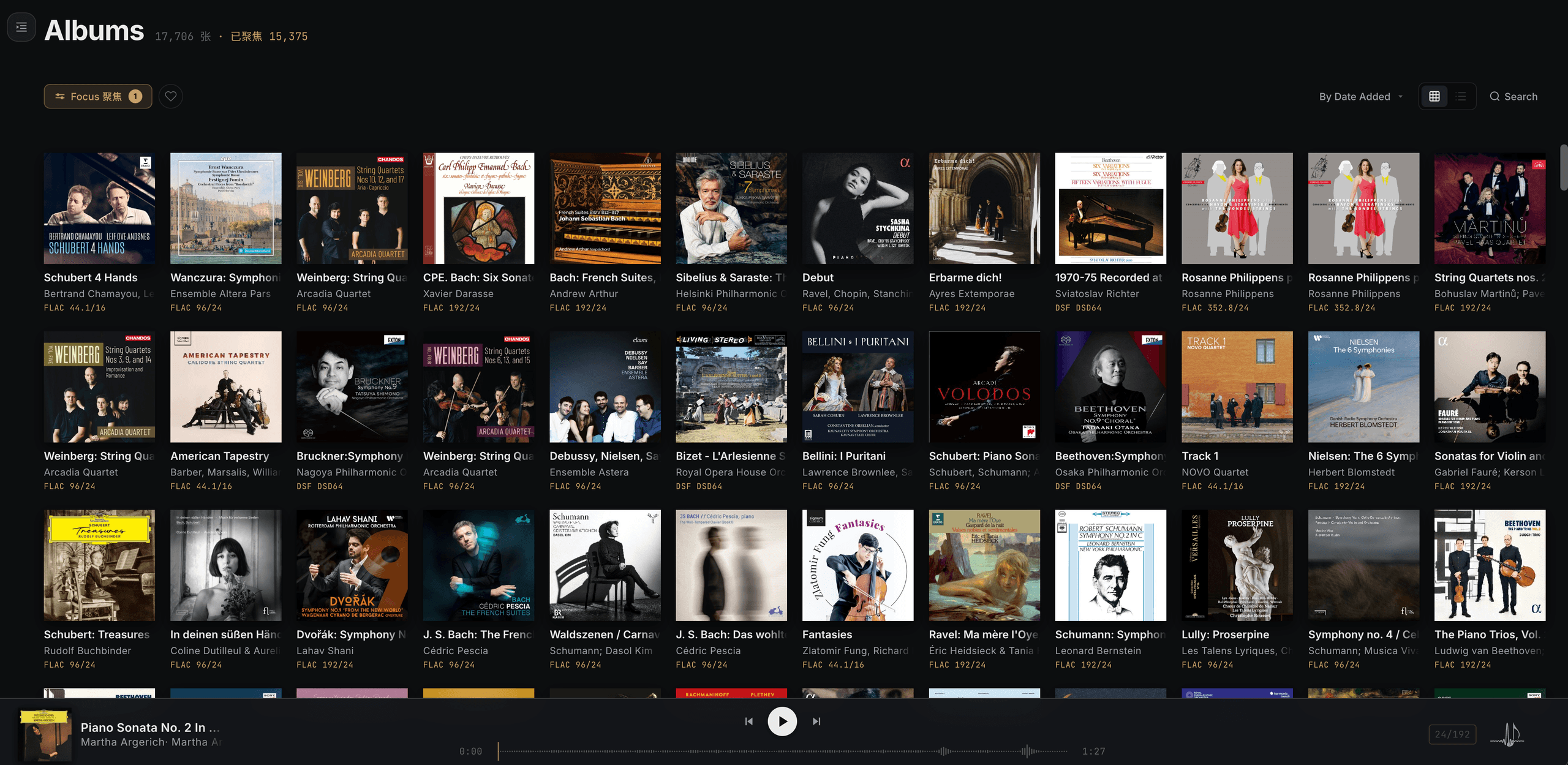
Library
Your shelves and theirs.
Albums from your NAS and USB drives sit on the same wall as TIDAL and Qobuz. Sign in with your own account and play any of it through the same devices. Search still forgives your typos.
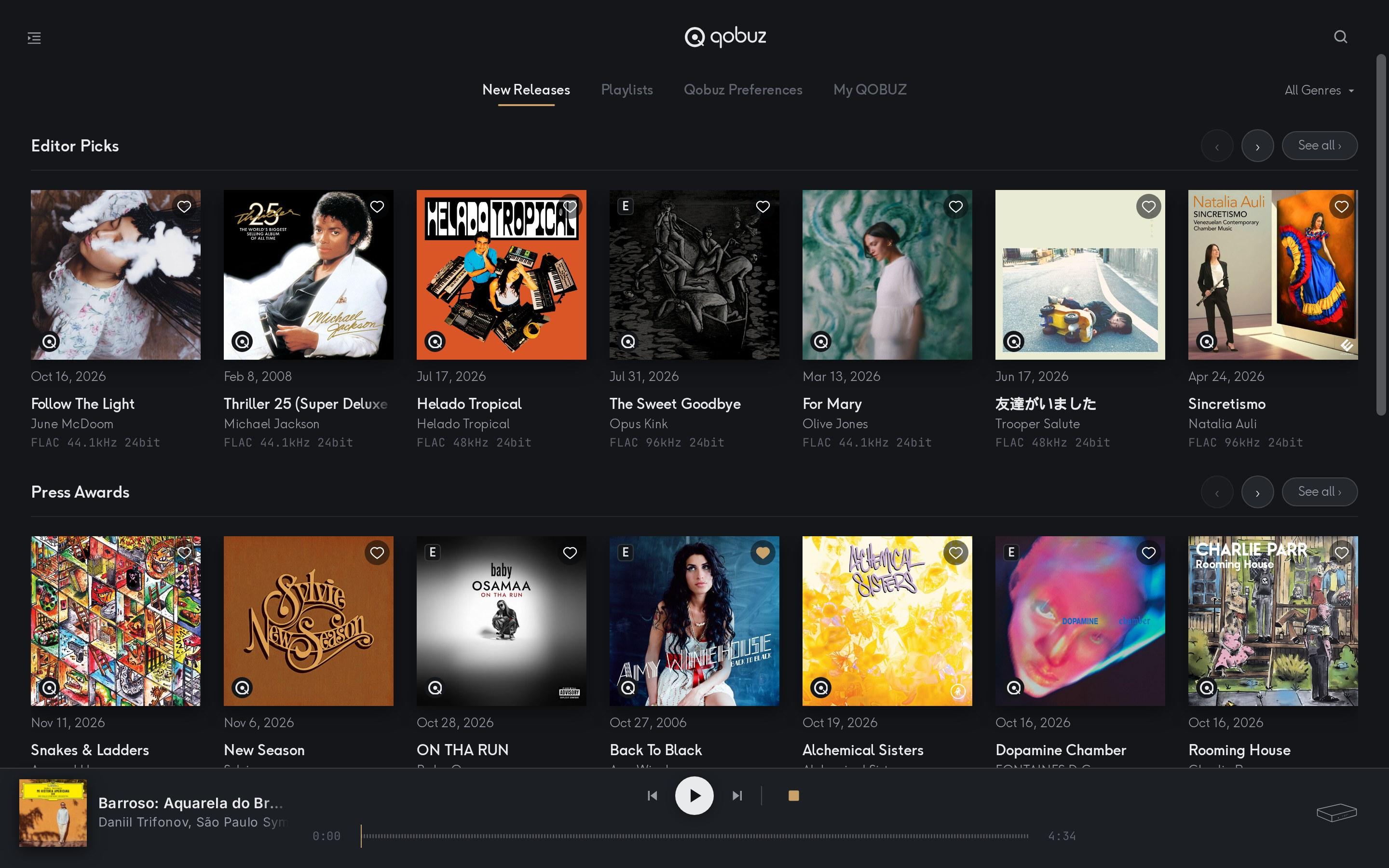
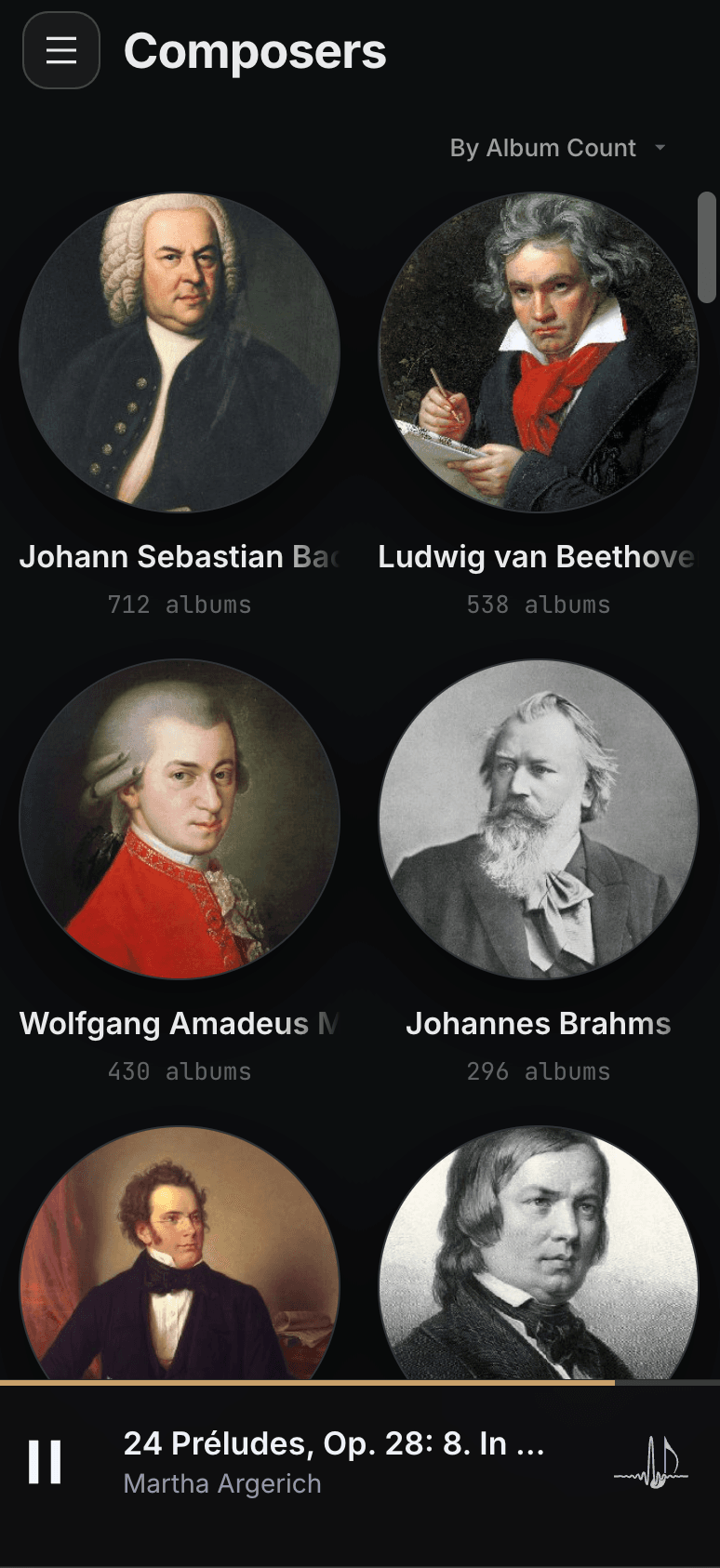
Classical
Sorted the way it was written.
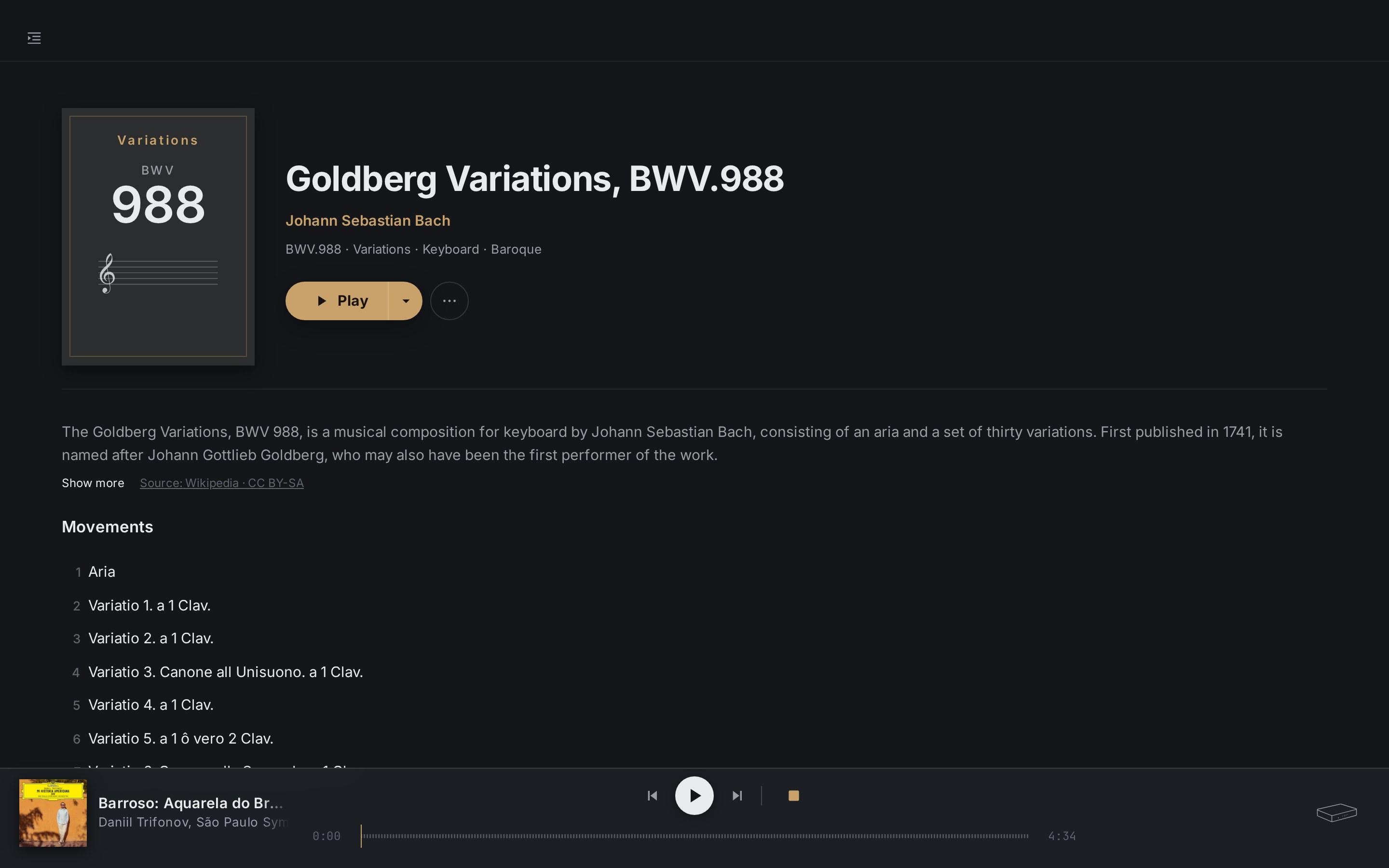
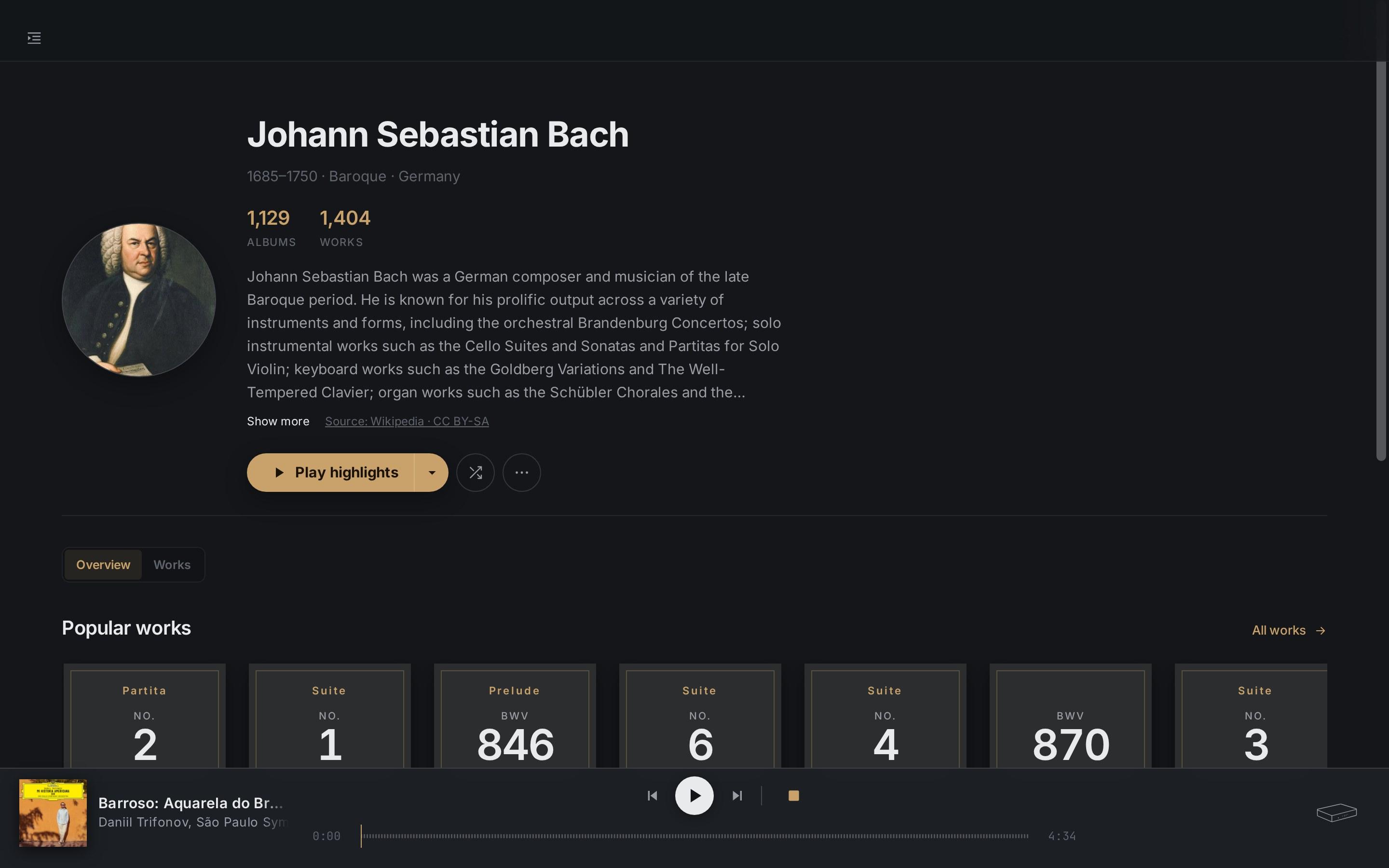
Every movement is filed under its work, and every work under its composer. Open the Goldberg Variations and you get the aria, the thirty variations, and every recording of it you own.
Playback
The signal chain, alive.
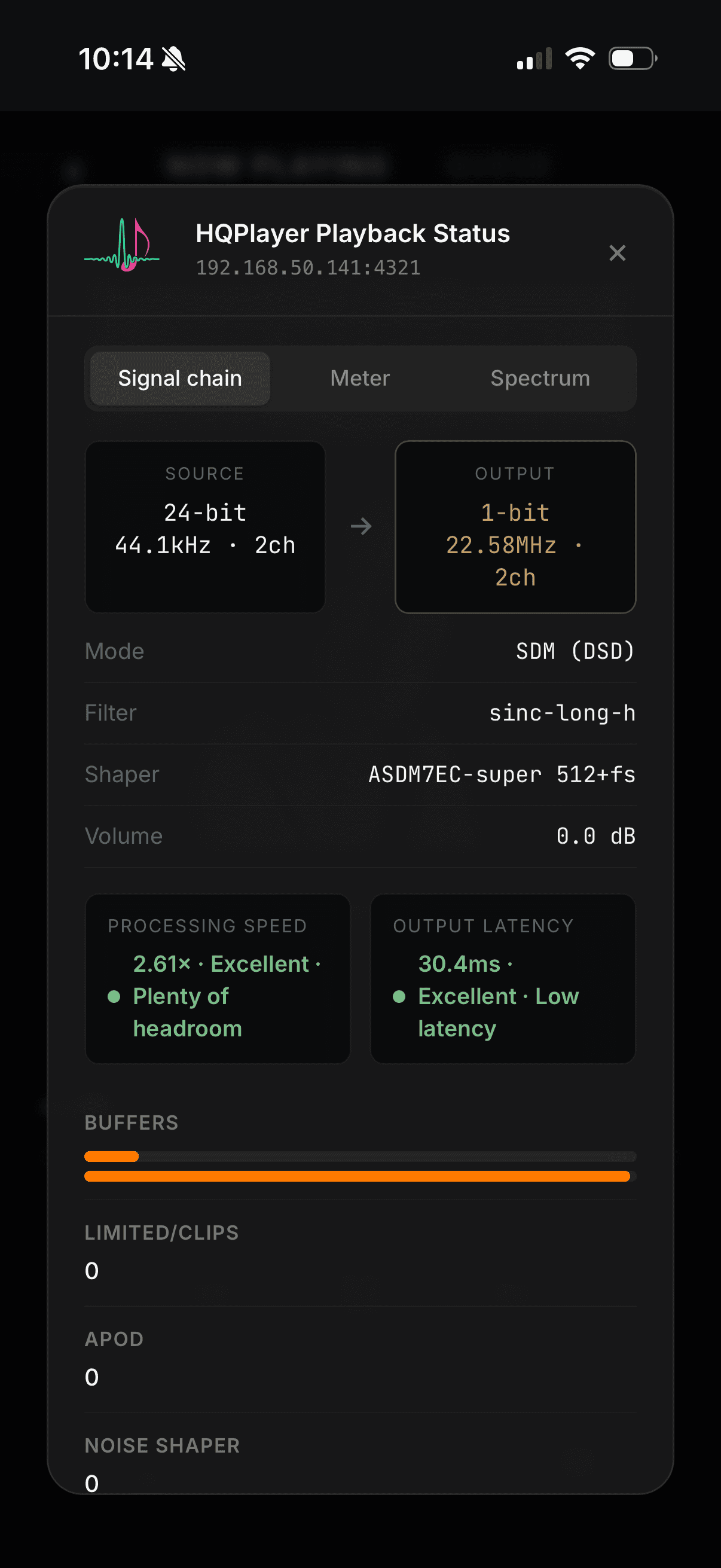
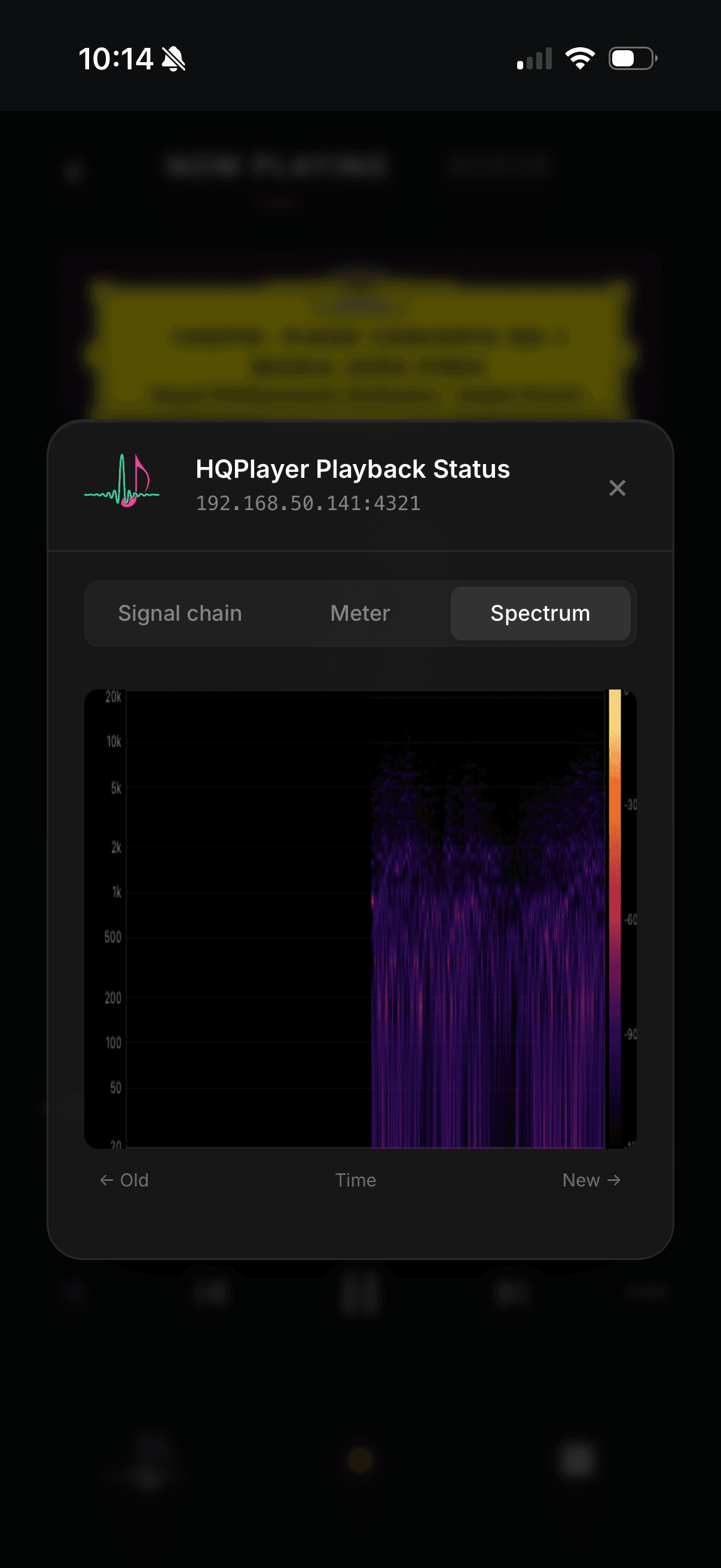
HQPlayer runs inside PureAlbum with nothing hidden. Follow the signal path, then watch the meters react in real time — formats, DSD mode, filters, buffers, and clip state all stay close at hand.
Signal path
Spectrum
Output
Four ways out.
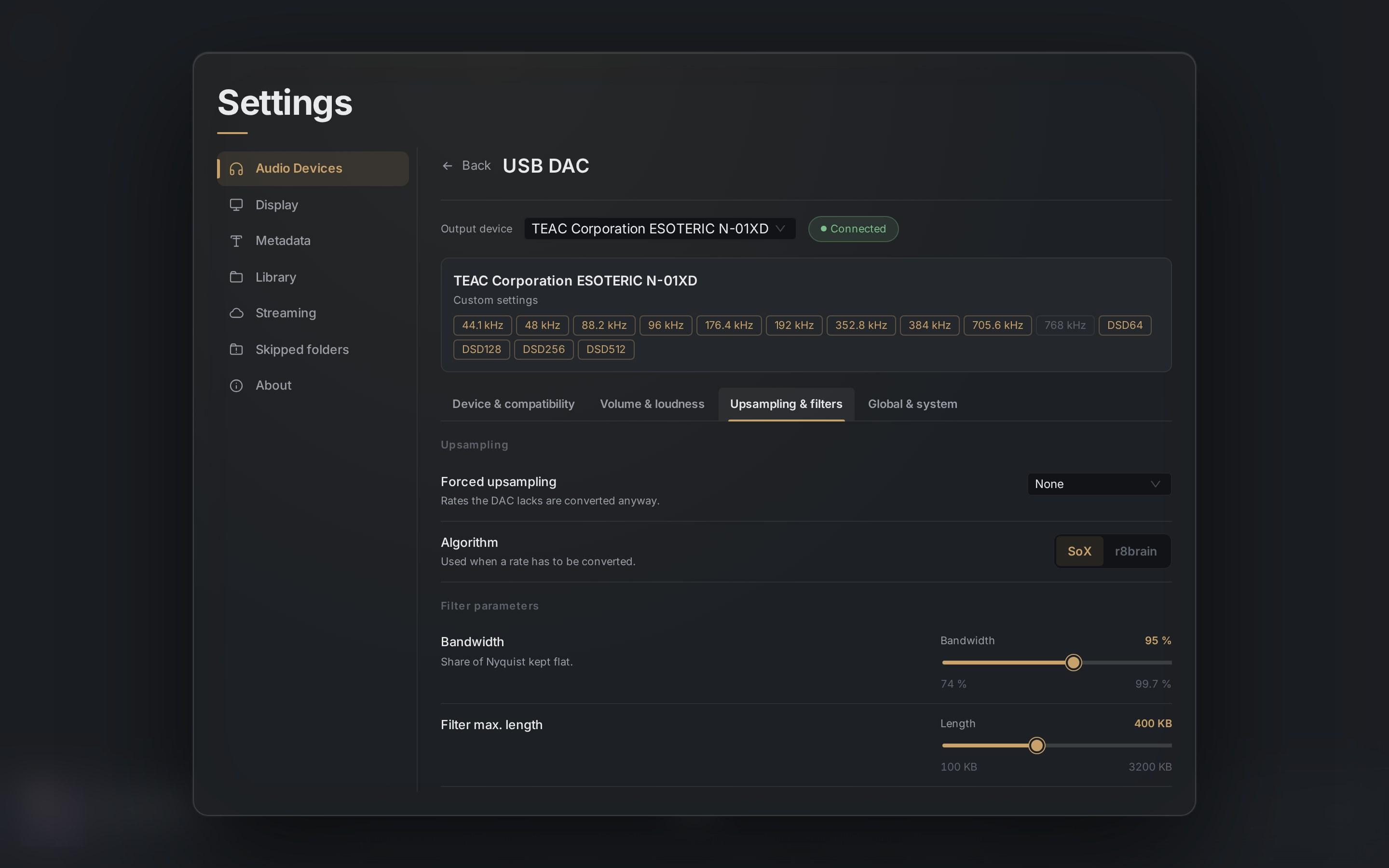
HQPlayer, Diretta and UPnP, as before. Now a USB DAC can plug straight into the box: native DSD or DoP, gapless, with upsampling when you ask for it and an untouched signal when you don’t.
- Native DSD · DoP
- SoX / r8brain
- PCM → DSD
- ReplayGain
Fits your system
Drop it into the system you already run.
Plug a DAC straight in, or keep whatever sits near it today. PureAlbum feeds it.
You have a USB DAC
NAS
PureAlbum
USB DAC output
DAC
You run HQPlayer NAA
NAS
PureAlbum
Library host
HQPlayer
NAANAA endpoint
DAC
You run a UPnP streamer
NAS
PureAlbum
UPnP Push
RendererUPnP renderer
DAC
You run Diretta
NAS
PureAlbum
MemoryPlay control
HostMemoryPlay Host
TargetDiretta Target
DAC
You run HQPlayer + Diretta
NAS
PureAlbum
Library host
HQPlayer
NAA/DANAA/DirettaALSA
TargetDiretta Target
DAC
Every path ships in the same appliance — switch routes without rebuilding your rack.
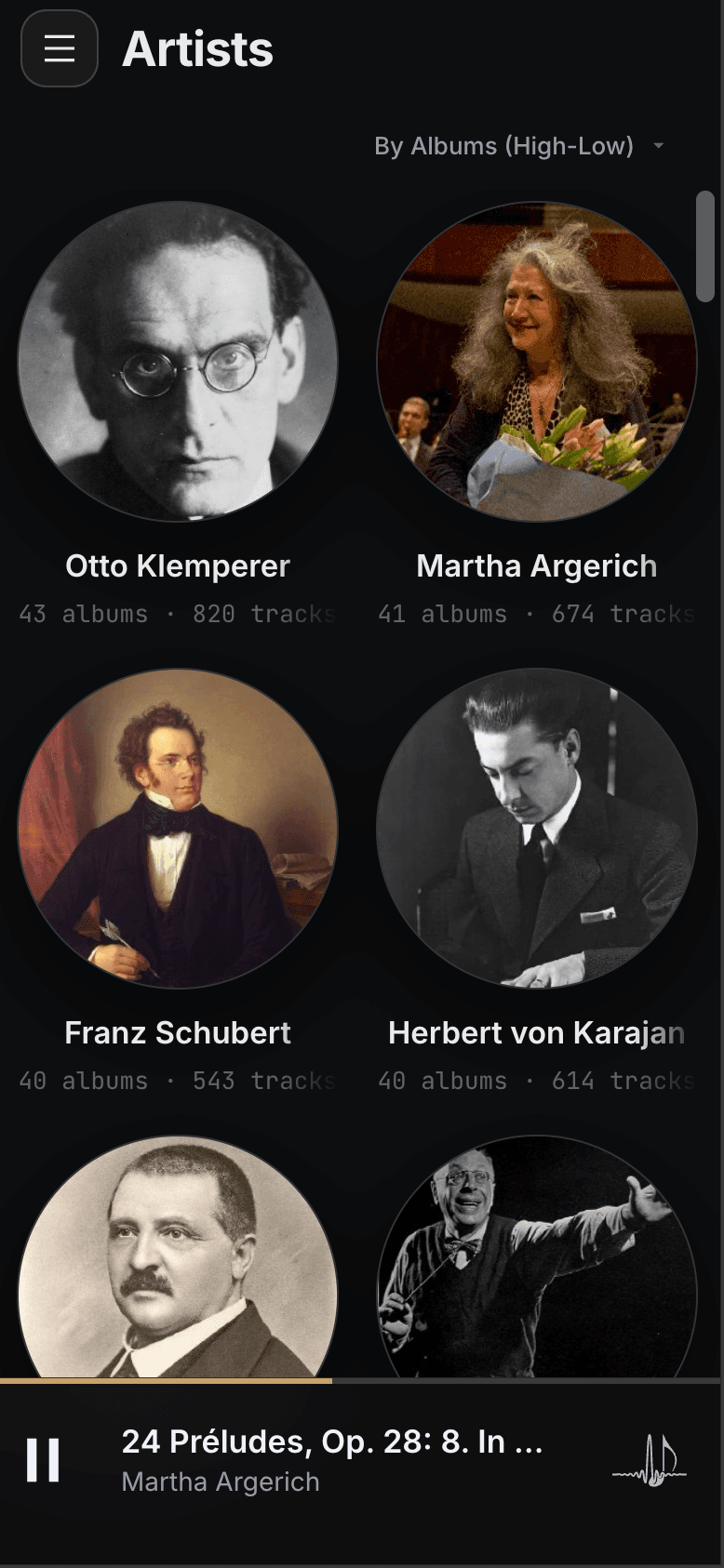
Mobile
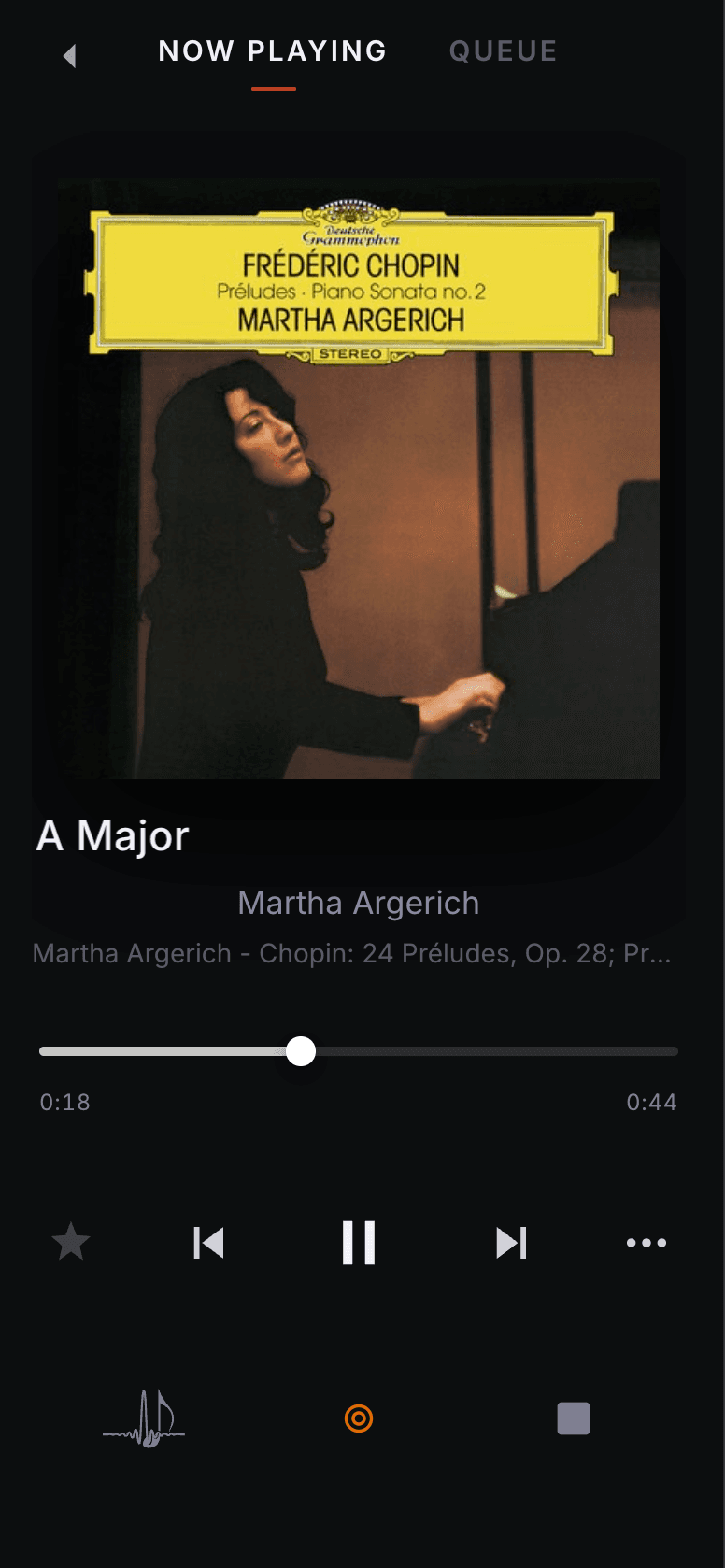
The same control surface, in your hand.
Playback keeps running on the PureAlbum host; your phone just steers it.
Versus Roon
Ownership and local playback, by design.
Roon is broad and cloud-connected. PureAlbum is narrower on purpose: your library on your own network, UPnP, Diretta and USB output, no recurring rent.
Commercial model
One payment, yours for good
Roon: $14.99/month, $12.49/month billed annually, or $829.99 lifetime
Control plane
No account; runs entirely on your network
Roon: Free Roon account required; runs offline once activated
UPnP renderers
Yes, UPnP Push is the primary path
Roon: No — Roon Ready (RAAT), AirPlay, Chromecast and Sonos instead
Diretta
Supported via Diretta Bridge
Roon: Not supported
Updates
One year included; the last release stays yours
Roon: Unlimited while subscribed; the lifetime plan keeps getting them
| PureAlbum | Roon | |
|---|---|---|
| Commercial model | One payment, yours for good | $14.99/month, $12.49/month billed annually, or $829.99 lifetime |
| Control plane | No account; runs entirely on your network | Free Roon account required; runs offline once activated |
| UPnP renderers | Yes, UPnP Push is the primary path | No — Roon Ready (RAAT), AirPlay, Chromecast and Sonos instead |
| Diretta | Supported via Diretta Bridge | Not supported |
| Updates | One year included; the last release stays yours | Unlimited while subscribed; the lifetime plan keeps getting them |
Roon pricing and capabilities as published at roon.app, November 2026. Roon is a product of Roon Labs LLC — a fine choice if you want its cloud features.
Liner Notes
Bought once. Still getting better.
Every PureAlbum update is written up in plain English, so you can see what changed before you buy, and after.
Latest: PureAlbum 0.4.36 · Nov 13, 2026
All notes →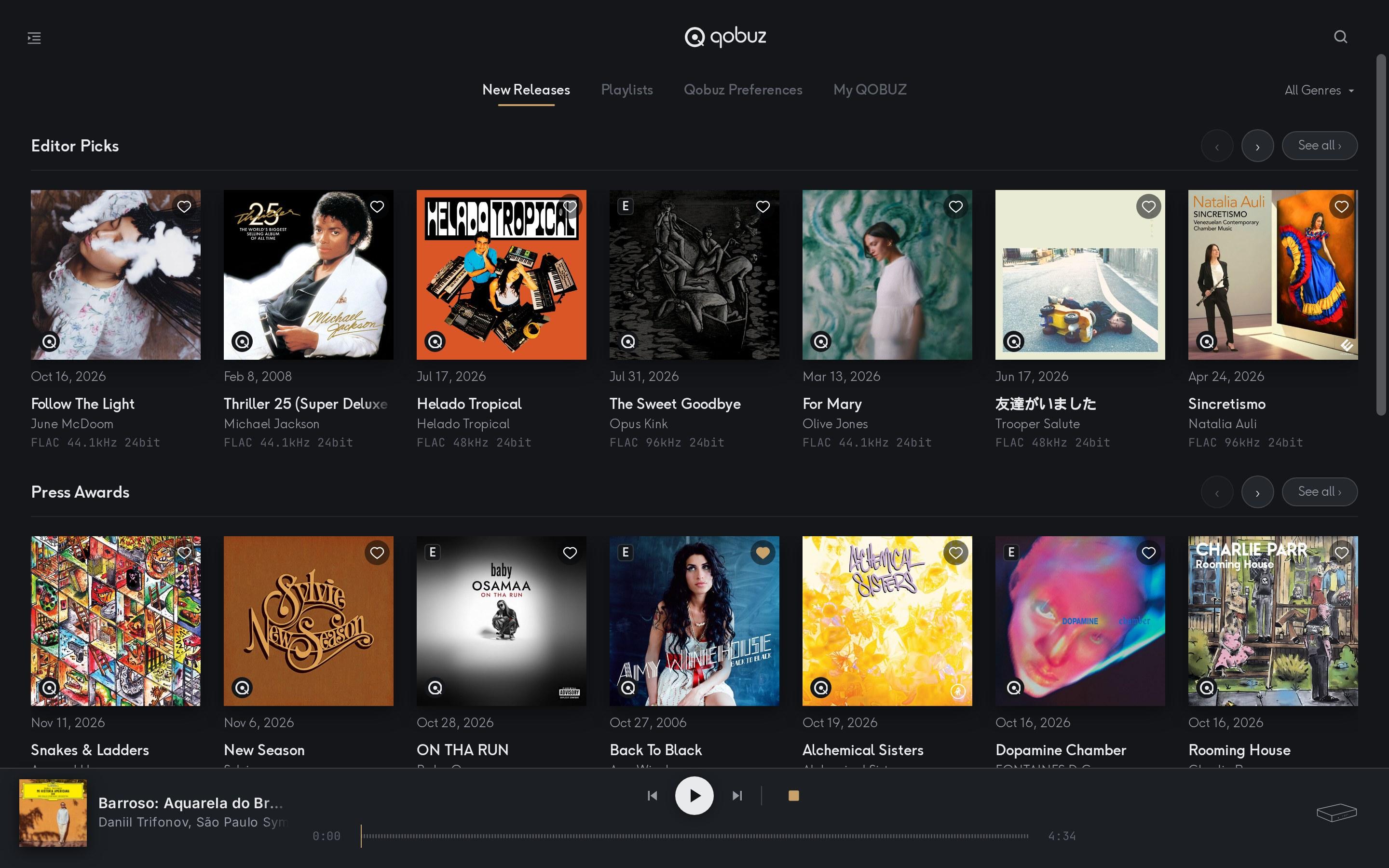
One-time purchase
Own the appliance outright.
One payment for a lifetime license, one year of updates, instant delivery, and a 14-day refund window.
- Bootable appliance image for x86-64: flash it, boot it, play
- Try it free for 14 days — full features, no license needed
- Lifetime license for the purchased major version, works fully offline
- Activate up to 2 devices; move between machines anytime, self-service
- One year of image updates; the last release stays yours forever
- License key and download link in your inbox within a minute
- 14-day money-back guarantee, no questions asked
Instant email delivery · Secure checkout by our merchant of record
Purchase requires agreement to our Terms, Privacy Policy, and Refund Policy.
Owner notes
The practical details before it joins your rack.
What arrives after checkout?
An email with your license key and personal download page: the bootable PureAlbum appliance image for x86-64 machines, SHA-256 checksums, and the install guide.
Can I try before buying?
Yes. The image runs as a full-featured 14-day trial without a license. When the trial ends, your library stays intact — playback resumes the moment you activate.
How many devices can I activate? Does it need internet?
One license activates up to 2 devices, with self-service transfer if you change hardware. Once activated, the license lives on the device and keeps working forever — even fully offline. Devices without internet can activate manually on this site.
What does the appliance run on?
Any x86-64 machine that boots from disk: a NUC, a fanless mini PC, or a VM (Proxmox/QEMU). Your music stays on your NAS or local disks.
What formats is it tuned for?
Lossless-first. FLAC and DSD (DSF) libraries are what PureAlbum is built and tested around, delivered bit-perfect over UPnP Push, Diretta, or a USB DAC plugged into the appliance.
Can I use my TIDAL or Qobuz subscription?
Yes. Sign in with your own account under Settings → Streaming. Streams play through the same devices as your own files, except MemoryPlay, which plays local files only.
Do I need a network streamer?
No. You can plug a USB DAC straight into the machine running PureAlbum. If you already own a streamer, a UPnP renderer or a Diretta Target, PureAlbum feeds that instead.
How much control do I have over the library?
You choose which libraries are active and whether metadata and covers prefer online sources or your local files — nothing is rewritten behind your back.
How long do I get updates?
One year of image updates from purchase. After that, the last image released within your window stays yours forever.
Can I get a refund?
Yes — 14-day money-back guarantee, no questions asked. Payment and refunds are handled by our merchant of record (Lemon Squeezy or Creem, per your receipt).
What if I lose the download email?
Use the Recover page — enter your purchase email and we resend your license key, download link, and a link to manage your activated devices.
Give your collection the front end it deserves.
Flash the image tonight, connect the NAS, and start listening.
Free 14-day trial · One year of updates · 14-day money-back